Run the interactive online version of this notebook (takes 1-2 minutes to load):

Welding groove types and definitions
Introduction
This tutorial is about generating different groove types and using the groove methods. The methods are seperatable in X parts:
Creating a groove with
get_grooveConverting a groove to a profile
Using
ploton a profile constructed by a grooveAll possible groove types as plot
saving and loading grooves with ASDF
First starting with the imports:
[2]:
# ASDF imports
import asdf

# Creating grooves
import weldx
from weldx import Q_ as Quantity  # pint quantity from the weldx package
from weldx.asdf.extension import WeldxAsdfExtension, WeldxExtension
from weldx.welding.groove.iso_9692_1 import get_groove
Creating a groove
Each groove type has different input variables, which must be passed along with it. For this we need the Groove Type as string and the attributes that describe this Groove Type. All attributes are used with pint quantity, we recommend to use the quantity class created by us.
Here an Example with a V-Groove. Note that groove_type="VGroove" and the required attributes are workpiece_thickness, groove_angle, root_gap and root_face.
[3]:
# Workpiece thickness (note the use of 'cm')
t = Quantity(1, "cm")
# groove angle
alpha = Quantity(55, "deg")
# root gap
b = Quantity(2, "mm")
# root face
c = Quantity(1, "mm")

v_groove = get_groove(
    groove_type="VGroove",
    workpiece_thickness=t,
    groove_angle=alpha,
    root_gap=b,
    root_face=c,
)

display(v_groove)
print(str(v_groove))
VGroove(t=<Quantity(1, 'centimeter')>, alpha=<Quantity(55, 'degree')>, c=<Quantity(1, 'millimeter')>, b=<Quantity(2, 'millimeter')>, code_number=['1.3', '1.5'])
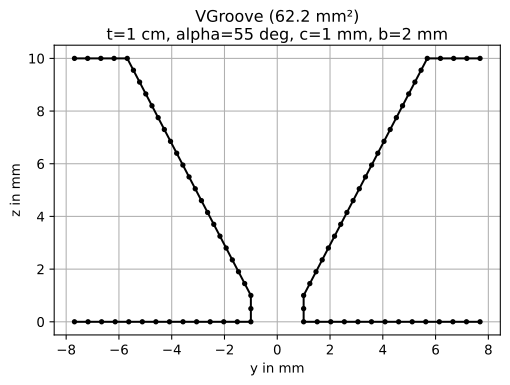
As shown above you pass the groove_type along with the attributes and get your Groove class. Function get_groove has a detailled description for all Groove Types and their Attributes.
Note: All classes can also be created separately with the classes, but this is not recommended.
from weldx.welding.groove.iso_9692_1 import VGroove

v_groove = VGroove(t, alpha, c, b)
Converting a groove to a profile
Each groove class can be converted into a Profile by calling its to_profile function. To learn more about the Profile class and its uses look into geometry_01_profiles.ipynb. Profiles created this way consist of one shape per mating part. For the V-Groove each mating part is made up of four basic lines.
[4]:
v_profile = v_groove.to_profile()
print(v_profile)
Profile with 2 shape(s)
Shape 0:
Line: [-7.69, 0.  ] -> [-1., 0.]
Line: [-1., 0.] -> [-1., 1.]
Line: [-1., 1.] -> [-5.69,10.  ]
Line: [-5.69,10.  ] -> [-7.69,10.  ]

Shape 1:
Line: [7.69,0.  ] -> [1.,0.]
Line: [1.,0.] -> [1.,1.]
Line: [1.,1.] -> [ 5.69,10.  ]
Line: [ 5.69,10.  ] -> [ 7.69,10.  ]
calculating groove cross sectional area
An approximation of the groove cross sectional area can be calculated via the cross_sect_area property
[5]:
print(v_groove.cross_sect_area)
62.165931094691445 millimeter ** 2
Using plot on a profile constructed by a groove
We can visualize the profile by simply calling the plot() function of the groove object. Carefully note the labeling (yz) and orientation of the axis. The plot shows the groove as seen along the negative x-axis (against the welding direction).
[6]:
v_groove.plot()
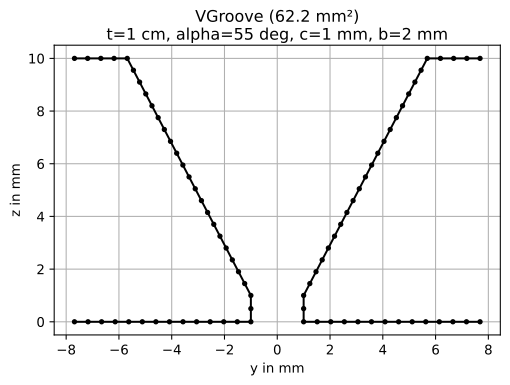
As explained above you see that this V-groove has two halves and a V-Groove layout. The plot scaling is always in millimeter.
The plot method has the following attributes:
titleSetting from matplotlib. Default:
Noneraster_widthIs the ratio of the rasterized points between each joint.
axisSetting from matplotlib. Default:
equalgridSetting from matplotlib. Default:
Trueline_styleSetting from matplotlib. Default:
'.'axSetting from matplotlib. Default:
None
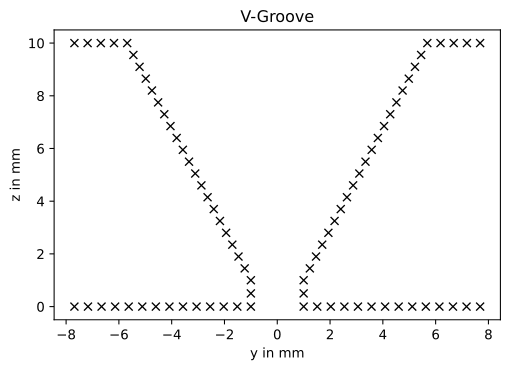
Here is the same plot with different options:
[7]:
v_profile.plot(title="V-Groove", raster_width=0.5, grid=False, line_style="rx")
/home/docs/checkouts/readthedocs.org/user_builds/weldx/conda/v0.3.3/lib/python3.8/site-packages/weldx/geometry.py:1253: UserWarning: color is redundantly defined by the 'color' keyword argument and the fmt string "rx" (-> color='r'). The keyword argument will take precedence.
  ax.plot(segment[0], segment[1], line_style, label=label, color=c)
/home/docs/checkouts/readthedocs.org/user_builds/weldx/conda/v0.3.3/lib/python3.8/site-packages/weldx/geometry.py:1253: UserWarning: color is redundantly defined by the 'color' keyword argument and the fmt string "rx" (-> color='r'). The keyword argument will take precedence.
  ax.plot(segment[0], segment[1], line_style, label=label, color=c)
using ASDF
All groove types can be save to ASDF-files with the included schemas and ASDF-extension from the weldx-package.
Writing the asdf file into a buffer:
[8]:
tree = dict(test_v_groove=v_groove)
buffer = weldx.asdf.util._write_buffer(tree)
We can show the file header with all groove metadata:
[9]:
weldx.asdf.util.notebook_fileprinter(buffer)
[9]:
#ASDF 1.0.0
#ASDF_STANDARD 1.5.0
%YAML 1.1
%TAG ! tag:stsci.edu:asdf/
--- !core/asdf-1.1.0
asdf_library: !core/software-1.0.0 {author: Space Telescope Science Institute, homepage: 'http://github.com/spacetelescope/asdf',
  name: asdf, version: 2.7.3}
history:
  extensions:
  - !core/extension_metadata-1.0.0
    extension_class: asdf.extension.BuiltinExtension
    software: !core/software-1.0.0 {name: asdf, version: 2.7.3}
  - !core/extension_metadata-1.0.0
    extension_class: weldx.asdf.extension.WeldxAsdfExtension
    software: !core/software-1.0.0 {name: weldx, version: 0.3.3}
  - !core/extension_metadata-1.0.0
    extension_class: weldx.asdf.extension.WeldxExtension
    software: !core/software-1.0.0 {name: weldx, version: 0.3.3}
test_v_groove: !<tag:weldx.bam.de:weldx/groove/iso_9692_1_2013_12/VGroove-1.0.0>
  t: !unit/quantity-1.1.0 {unit: centimeter, value: 1}
  alpha: !unit/quantity-1.1.0 {unit: degree, value: 55}
  b: !unit/quantity-1.1.0 {unit: millimeter, value: 2}
  c: !unit/quantity-1.1.0 {unit: millimeter, value: 1}
  code_number: ['1.3', '1.5']
...
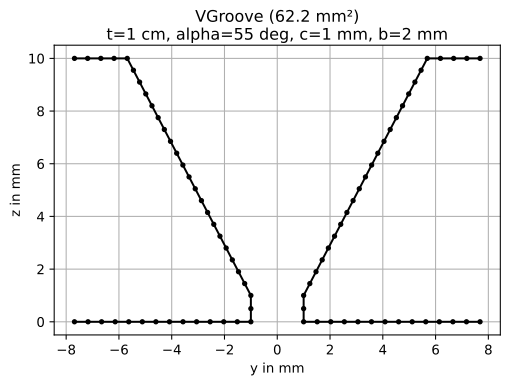
Reading the file contents again and validating the extracted groove:
[10]:
data = weldx.asdf.util._read_buffer(buffer)
data["test_v_groove"]
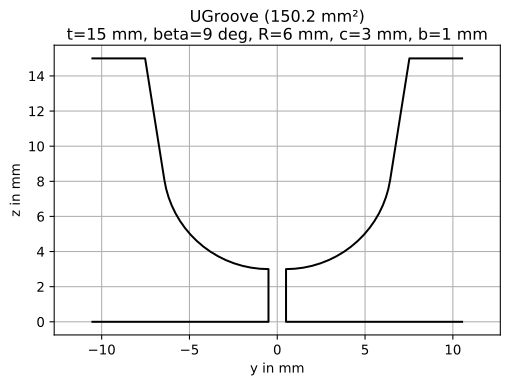
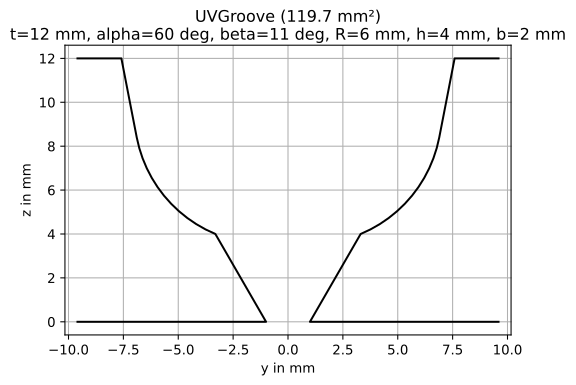
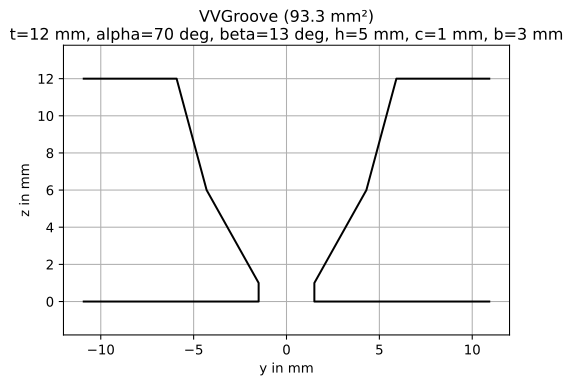
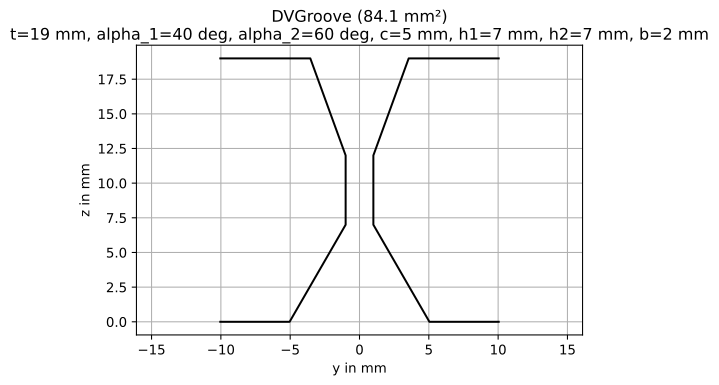
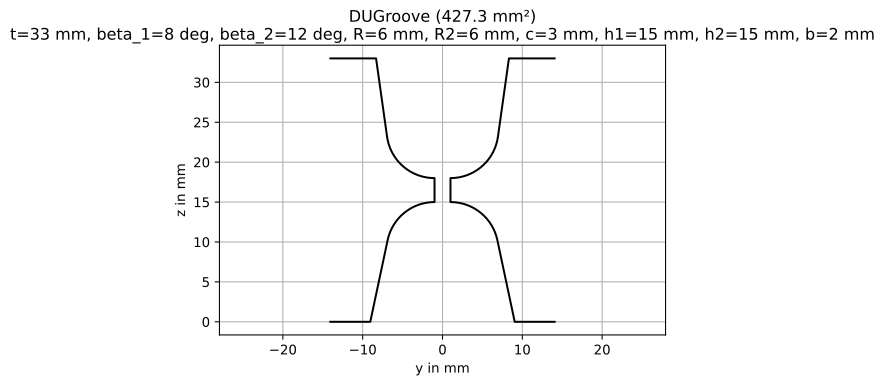
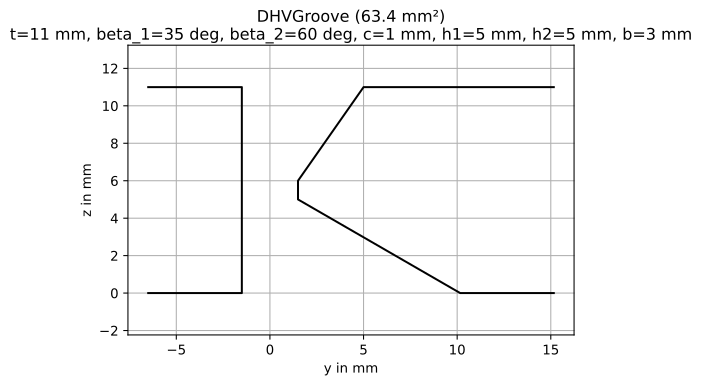
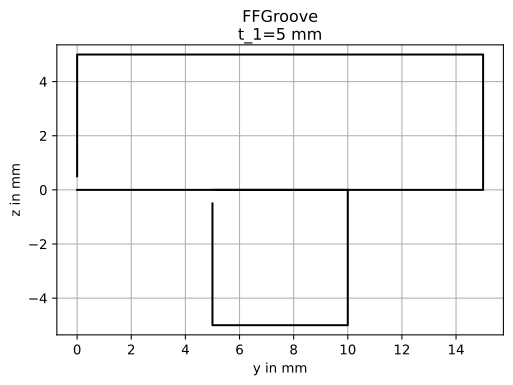
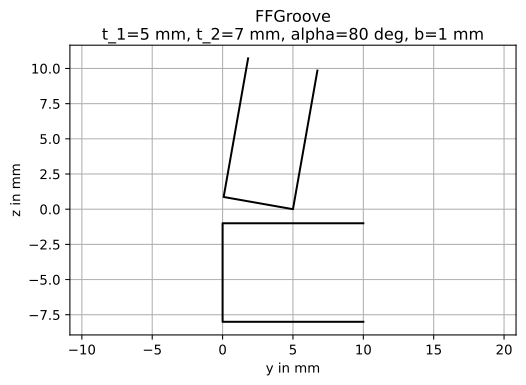
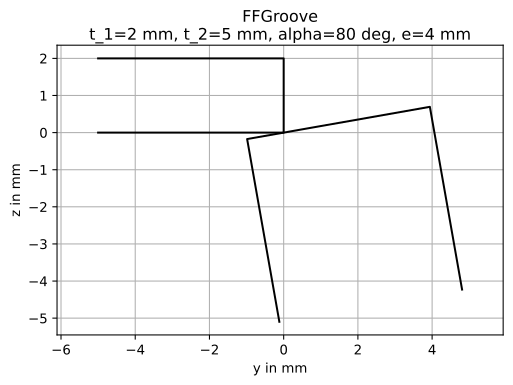
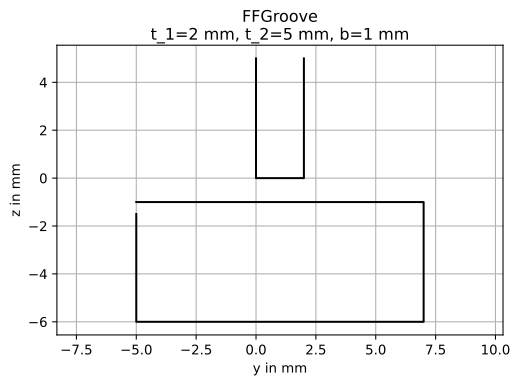
Examples of all possible Groove Types
An overview of all possible groove types:
[11]:
# generate test grooves
from weldx.welding.groove.iso_9692_1 import _create_test_grooves

groove_dict = _create_test_grooves()
for k in ["dv_groove2", "dv_groove3", "du_groove2", "du_groove3", "du_groove4"]:
    groove_dict.pop(k, None)

for k, v in groove_dict.items():
    v[0].plot(line_style="-")







[ ]: